
Upgrading a Django app from Python version 3.8 to 3.12: Challenges and Solutions
In my professional journey of a software developer, I have been working on a Django application for more than a year along with a team. This blog is about my recent experience of upgrading the Python version of the Django application from 3.8 to 3.12. The process involved facing several challenges and finding solutions to overcome them.
Why Upgrade to Python 3.12?:
At the beginning of the project, we were using Python 3.8, which was already four years old when we decided to upgrade. So, I evaluated the latest stable releases available and considered moving to either Python 3.11 or 3.12. After some discussions within the team, we finally chose Python 3.12 as our target version. Although there might have been compatibility issues, my plan B would be switching to Python 3.11 if necessary.
Python Upgrade:
The Django project was Dockerized and it made use of a Dockerfile and a docker-compose.yaml to run both i.e. the Django app and postgres on a local machine.
The Dockerfile referred a base image hosted on AWS ECR which was tagged as - python:3.8-alpine.
FROM ...amazonaws.com/python:3.8-alpine
When commands like - docker build or docker-compose were run for this ^ file it would pull the image from AWS ECR to local and it would build a docker image of the project on local.
I thought of updating the above line ^ in the Dockerfile to use the public hosted python 3.12 image & to check if it works.
I found this image on the official python docker hub website.
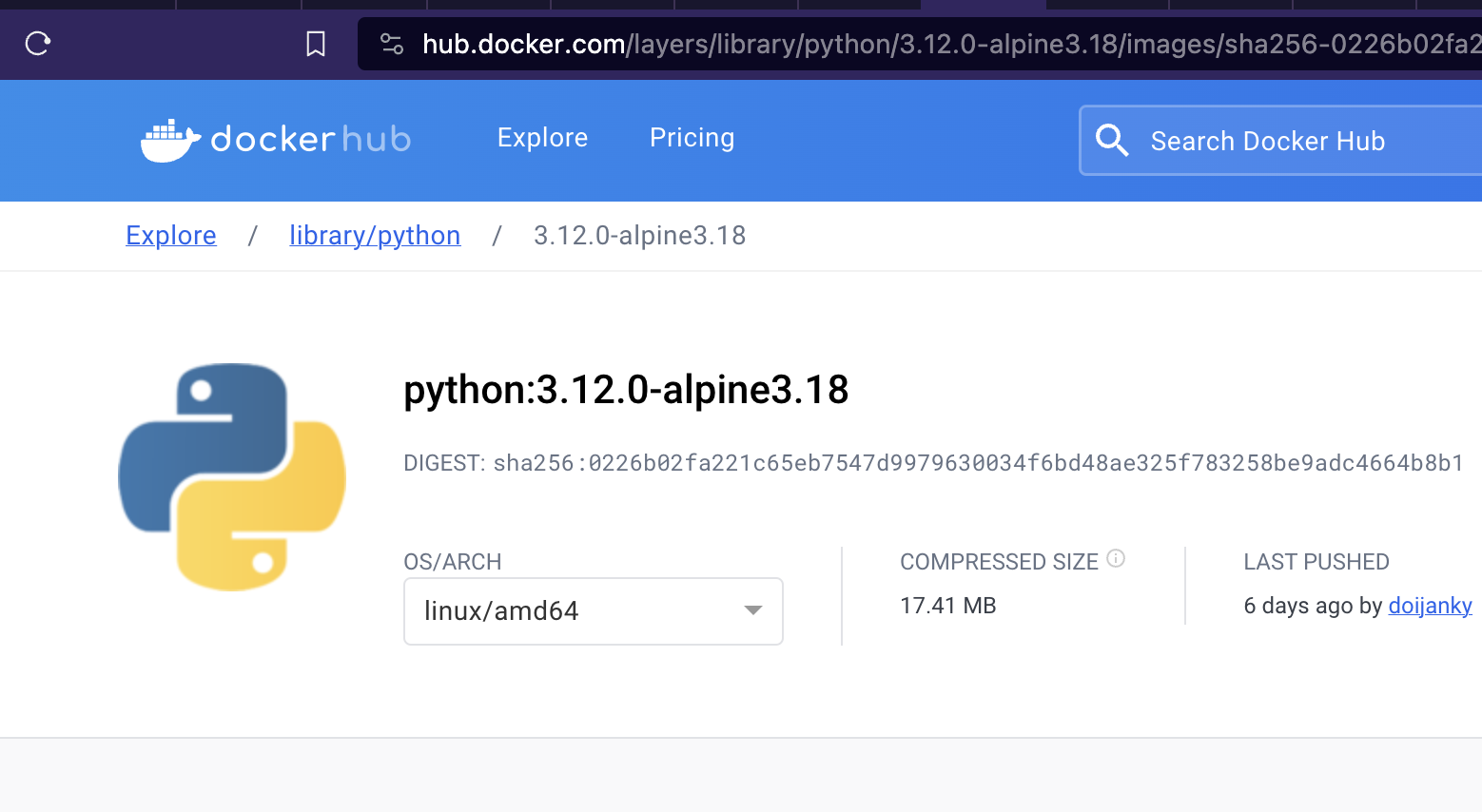
I updated the base image in Dockerfile to from python:3.8-alpine to python:3.12.0-alpine3.18 as follows:
FROM python:3.12.0-alpine3.18
and I ran the docker-compose command.
I came across the first issue with lxml python library:
Collecting lxml==4.7.1 (from -r requirements.txt (line 29))
  Downloading lxml-4.7.1.tar.gz (3.2 MB)
     ━━━━━━━━━━━━━━━━━━━━━━━━━━━━━━━━━━━━━━━━ 3.2/3.2 MB 11.7 MB/s eta 0:00:00
  Preparing metadata (setup.py): started
  Preparing metadata (setup.py): finished with status 'error'
  error: subprocess-exited-with-error

  × python setup.py egg_info did not run successfully.
  │ exit code: 1
  ╰─> [7 lines of output]
      /tmp/pip-install-10q4993d/lxml_7a11e934bc3e40bfb649968a34680864/setup.py:114: SyntaxWarning: invalid escape sequence '\.'
        is_interesting_header = re.compile('^(zconf|zlib|.*charset)\.h$').match
      /tmp/pip-install-10q4993d/lxml_7a11e934bc3e40bfb649968a34680864/setup.py:67: DeprecationWarning: pkg_resources is deprecated as an API. See https://setuptools.pypa.io/en/latest/pkg_resources.html
        import pkg_resources
      Building lxml version 4.7.1.
      Building without Cython.
      Error: Please make sure the libxml2 and libxslt development packages are installed.
      [end of output]

  note: This error originates from a subprocess, and is likely not a problem with pip.
error: metadata-generation-failed

× Encountered error while generating package metadata.
╰─> See above for output.
From the above error message I found that our project made use of libxml2 and libxslt packages which were not present in the python:3.12.0-alpine3.18 docker image. This also meant that the python 3.8 version image hosted on our AWS ECR contained few more packages required for our application to run. These packages were not mentioned in the Dockerfile with python 3.8 version so now I had to add these packages to the Dockerfile.
I added the following in the Dockerfile:
RUN apk add --no-cache libxml2 libxslt
and then I ran docker-compose command.
Collecting psycopg2==2.8.5 (from -r prod-requirements.txt (line 2))
  Downloading psycopg2-2.8.5.tar.gz (380 kB)
     ━━━━━━━━━━━━━━━━━━━━━━━━━━━━━━━━━━━━━━━ 380.9/380.9 kB 5.4 MB/s eta 0:00:00
  Preparing metadata (setup.py): started
  Preparing metadata (setup.py): finished with status 'error'
  error: subprocess-exited-with-error

  × python setup.py egg_info did not run successfully.
  │ exit code: 1
  ╰─> [23 lines of output]
      running egg_info
      creating /tmp/pip-pip-egg-info-4di1cudh/psycopg2.egg-info
      writing /tmp/pip-pip-egg-info-4di1cudh/psycopg2.egg-info/PKG-INFO
      writing dependency_links to /tmp/pip-pip-egg-info-4di1cudh/psycopg2.egg-info/dependency_links.txt
      writing top-level names to /tmp/pip-pip-egg-info-4di1cudh/psycopg2.egg-info/top_level.txt
      writing manifest file '/tmp/pip-pip-egg-info-4di1cudh/psycopg2.egg-info/SOURCES.txt'

      Error: pg_config executable not found.

      pg_config is required to build psycopg2 from source.  Please add the directory
      containing pg_config to the $PATH or specify the full executable path with the
      option:

          python setup.py build_ext --pg-config /path/to/pg_config build ...

      or with the pg_config option in 'setup.cfg'.

      If you prefer to avoid building psycopg2 from source, please install the PyPI
      'psycopg2-binary' package instead.

      For further information please check the 'doc/src/install.rst' file (also at
      <https://www.psycopg.org/docs/install.html>).

      [end of output]

  note: This error originates from a subprocess, and is likely not a problem with pip.
error: metadata-generation-failed
the above issue states that the psycopg2 library needs postgres library, I add postgresql-client package to the RUN command in the Dockerfile to solve the issue.
I ran the docker-compose command & the above issue was solved. Now I got a new error:
Collecting psycopg2==2.8.5 (from -r prod-requirements.txt (line 2))
  Downloading psycopg2-2.8.5.tar.gz (380 kB)
     ━━━━━━━━━━━━━━━━━━━━━━━━━━━━━━━━━━━━━━━ 380.9/380.9 kB 9.8 MB/s eta 0:00:00
  Preparing metadata (setup.py): started
  Preparing metadata (setup.py): finished with status 'error'
  error: subprocess-exited-with-error

  × python setup.py egg_info did not run successfully.
  │ exit code: 1
  ╰─> [23 lines of output]
      running egg_info
      creating /tmp/pip-pip-egg-info-2rwrimzi/psycopg2.egg-info
      writing /tmp/pip-pip-egg-info-2rwrimzi/psycopg2.egg-info/PKG-INFO
      writing dependency_links to /tmp/pip-pip-egg-info-2rwrimzi/psycopg2.egg-info/dependency_links.txt
      writing top-level names to /tmp/pip-pip-egg-info-2rwrimzi/psycopg2.egg-info/top_level.txt
      writing manifest file '/tmp/pip-pip-egg-info-2rwrimzi/psycopg2.egg-info/SOURCES.txt'

      Error: pg_config executable not found.

      pg_config is required to build psycopg2 from source.  Please add the directory
      containing pg_config to the $PATH or specify the full executable path with the
      option:

          python setup.py build_ext --pg-config /path/to/pg_config build ...

      or with the pg_config option in 'setup.cfg'.

      If you prefer to avoid building psycopg2 from source, please install the PyPI
      'psycopg2-binary' package instead.

      For further information please check the 'doc/src/install.rst' file (also at
      <https://www.psycopg.org/docs/install.html>).

      [end of output]

  note: This error originates from a subprocess, and is likely not a problem with pip.
error: metadata-generation-failed
After reading the above error - “to use psycopg2-binary instead of psycopg2 python library”. I checked the project’s Pipfile and found this entry:
[dev-packages]
psycopg2-binary = "*"
The Pipfile already had psycopg2-binary library mentioned then why is “pip install” command suggesting to use pyscopg2-binrary? I checked the Dockerfile again and I found that the Dockerfile had this entry:
RUN pip install -r prod-requirements.txt
then I checked the prod-requirements.txt file in the project. It had the following:
-r requirements.txt
psycopg2==2.8.5
I went to the Dockerfile again & found that first it creates a requirements.txt but that was not being used.
 # generate a requirements file so that it could be used later
RUN pipenv lock -r > requirements.txt
...
RUN pip install -r prod-requirements.txt
There was a comment above pipenv lock that said generate the file to be used later but the requirements.txt file not used anywhere.
In order to solve the above issue, the app needed “psycopg2-binary” library but then it should not use prod-requirements.txt but requirements.txt. I removed this line from the Dockerfile:
RUN pip install -r prod-requirements.txt
When I ran this command on the terminal:
pipenv lock -r > requirements.txt
I got this error:
Loading .env environment variables...
Courtesy Notice: Pipenv found itself running within a virtual environment, so it will automatically use that environment, instead of creating its own for any project. You can set PIPENV_IGNORE_VIRTUALENVS=1 to force pipenv to ignore that environment and create its own instead. You can set PIPENV_VERBOSITY=-1 to suppress this warning.
Usage: pipenv lock [OPTIONS]
Try 'pipenv lock -h' for help.

Error: No such option: -r

hence there is no option “r” available in the new version of pipenv. I found that in the new version of pipenv package the requirements file can be generated using:
pipenv requirements > requirements.txt
Note: I am generating the requirements.txt file since that step was already present in the Dockerfile.
I ran the docker-compose command after updating the Dockerfile as above & I got a new error:
Building wheel for cffi (pyproject.toml): finished with status 'error'
error: subprocess-exited-with-error

× Building wheel for cffi (pyproject.toml) did not run successfully.
│ exit code: 1
...
Perhaps you should add the directory containing `libffi.pc'
to the PKG_CONFIG_PATH environment variable
Package 'libffi', required by 'virtual:world', not found
I searched for the above issue on internet & I found that installing the libffi-dev package has solved this issue for some people.
I added the package as part of the package install command in Dockerfile:
RUN apk add --no-cache libxml2 libxslt libffi-dev
and the above issue with cffi library was sovled. Now I got a new error with the cryptography package:
Collecting cryptography==3.4.7 (from -r requirements.txt (line 12))
Downloading cryptography-3.4.7.tar.gz (546 kB)
   ━━━━━━━━━━━━━━━━━━━━━━━━━━━━━━━━━━━━━━━ 546.9/546.9 kB 3.4 MB/s eta 0:00:00
Installing build dependencies: started
Installing build dependencies: finished with status 'error'
...
 Collecting cryptography==3.4.7 (from -r requirements.txt (line 12))
  Downloading cryptography-3.4.7.tar.gz (546 kB)
     ━━━━━━━━━━━━━━━━━━━━━━━━━━━━━━━━━━━━━━ 546.9/546.9 kB 11.3 MB/s eta 0:00:00
  Installing build dependencies: started
  Installing build dependencies: finished with status 'error'
  error: subprocess-exited-with-error
...
error: command 'gcc' failed: No such file or directory
[end of output]
Once when I ran the docker-compose command I faced this ^ gcc issue & the next day when I ran it again I face an issue with studio.h file:
Collecting cryptography==3.4.7 (from -r requirements.txt (line 12))
  Downloading cryptography-3.4.7.tar.gz (546 kB)
     ━━━━━━━━━━━━━━━━━━━━━━━━━━━━━━━━━━━━━━ 546.9/546.9 kB 11.3 MB/s eta 0:00:00
  Installing build dependencies: started
  Installing build dependencies: finished with status 'error'
  error: subprocess-exited-with-error
...
            /usr/local/include/python3.12/Python.h:23:12: fatal error: stdlib.h: No such file or directory
               23 | #  include <stdlib.h>
                  |            ^~~~~~~~~~
            compilation terminated
            error: command '/usr/bin/gcc' failed with exit code 1
            [end of output]

        note: This error originates from a subprocess, and is likely not a problem with pip.
        ERROR: Failed building wheel for cffi
      Failed to build cffi

I searched for “stdlib.h No such file found” on google & came across this blog - https://betterstack.com/community/questions/how-to-fix-python-h-no-such-file-or-directory/ and this stackoverflow page: https://stackoverflow.com/questions/21530577/fatal-error-python-h-no-such-file-or-directory
I added python-dev in the package installation command:
RUN apk add python-dev
but that didn’t solve the issue.
I continued searching for this issue and came across multiple suggestions to install python-dev.
When I mentioned alpine in my google search like this:

I came across a stackoverflow solution to use musl.
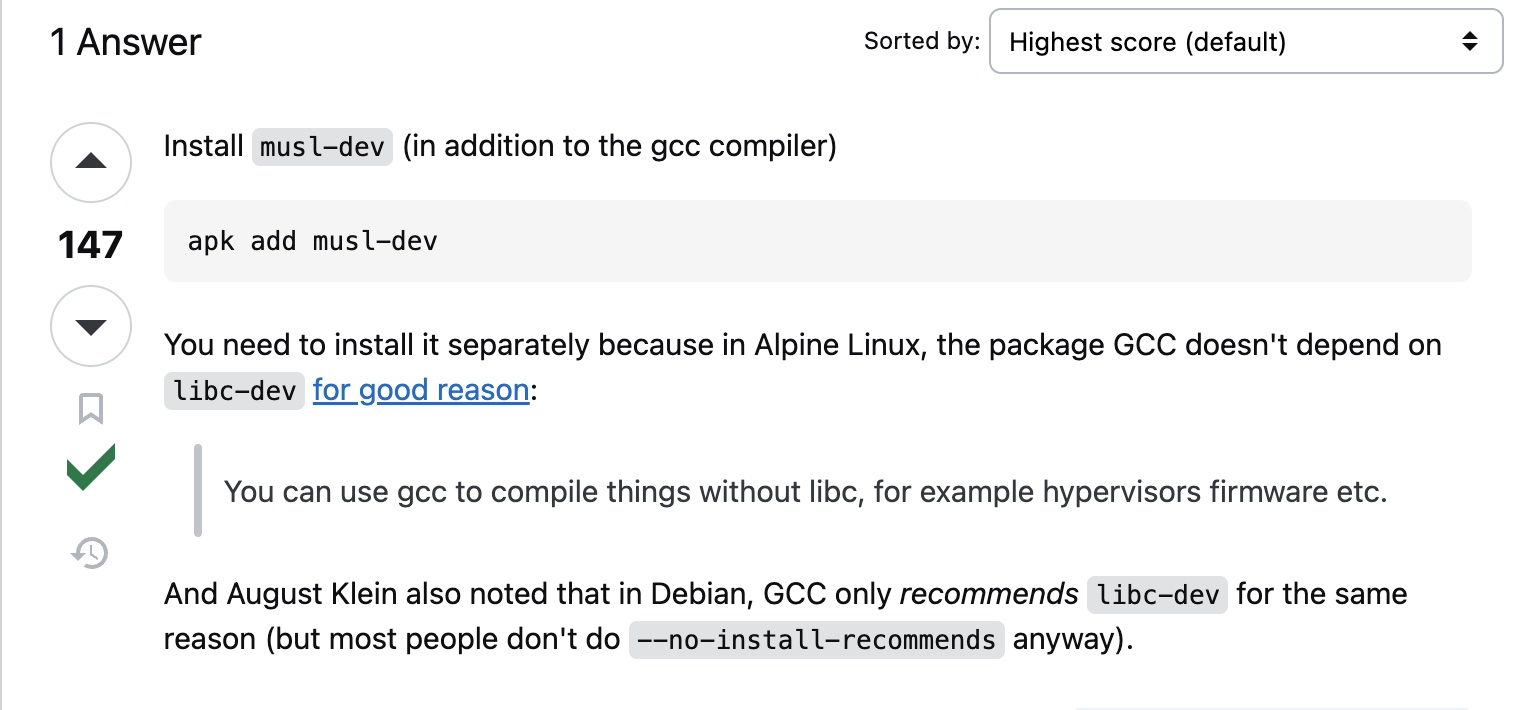
I added musl installation in Dockerfile & I ran docker-compose command. Now, the docker image was successfully built. I hope this helps someone who are planning to upgrade their Django application’s Python version.